April 1st passes, and the pranks and bogus alerts that make you second-guess everything on April Fools' Day fade away.
Sadly, scammers haven't gotten the memo.
Spring is prime time for cybercriminals. It's not that teams are careless; it's that people are busy, distracted, and rushing through tasks. This perfect storm allows deceptive scams to sneak through unnoticed until it's too late.
Here are three active scams targeting not the gullible but sharp, hardworking employees juggling their daily duties.
As you review them, ask yourself this critical question: Does my team consistently pause long enough to spot these threats?
Fraud Scenario #1: Fake Toll or Parking Fee Texts
An employee receives a text alert:
"You have an outstanding toll of $6.99. Pay within 12 hours to avoid penalties."
The message names a legitimate toll service— E-ZPass, SunPass, or FasTrak—matching their state. The small charge doesn't raise suspicion. Between meetings, they click, pay, and move on.
But the link is fraudulent.
The FBI reports over 60,000 complaints about these fake toll texts in 2024, with a 900% surge in 2025. Researchers have uncovered more than 60,000 spoof domains mimicking official toll systems—highlighting how lucrative this scam has become. Some victims live in states without toll roads.
This scam succeeds because $6.99 seems harmless, and most people have recently passed tolls or parked downtown, making the message believable.
Your defense: Legitimate toll agencies never demand immediate payment through text. Encourage your team: No payments via SMS links. If unsure, they should visit the official website or app directly. Never reply—even "STOP"—since responding confirms the number's activity and invites further scams.
Convenience is the lure; procedure is your protection.
Fraud Scenario #2: "Your File Is Ready" Scam Emails
This scam seamlessly integrates into typical workflows.
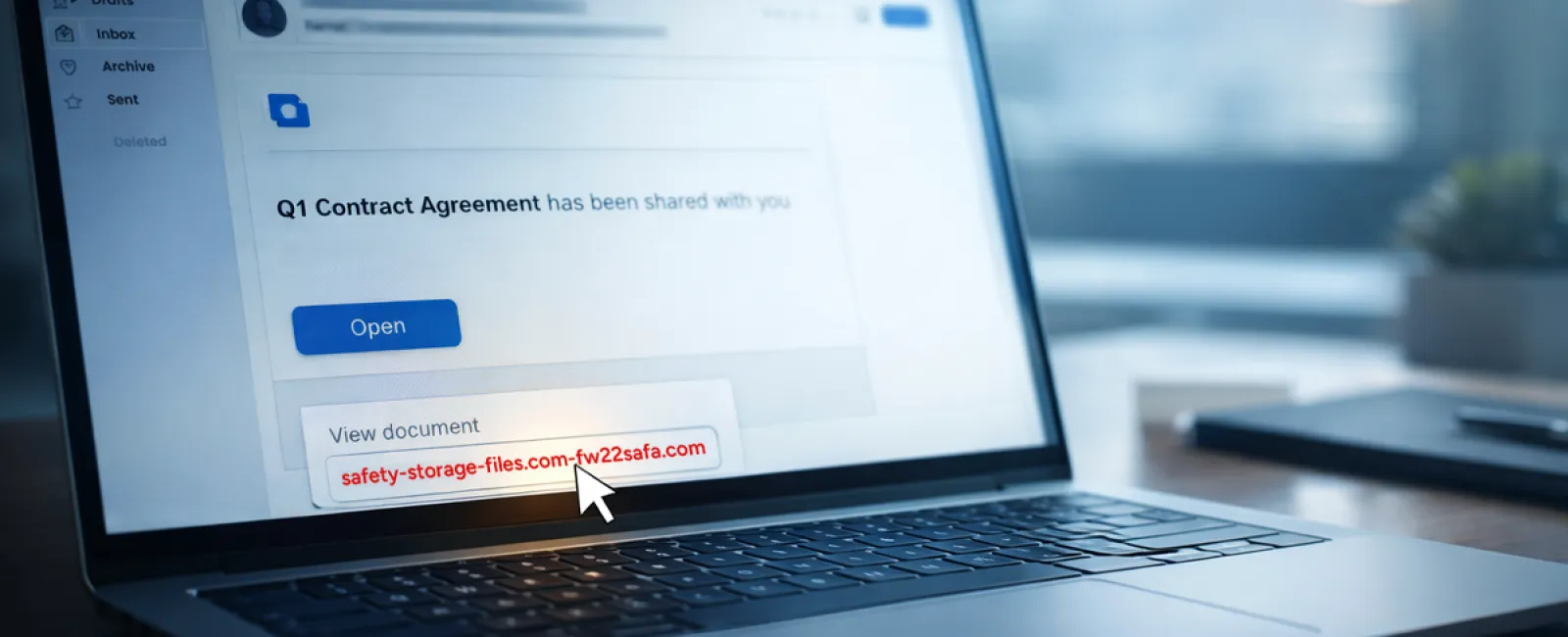
An employee gets an email claiming a file has been shared—maybe a DocuSign contract, OneDrive spreadsheet, or Google Drive document.
The sender appears genuine, and the email mimics authentic file-sharing notifications.
They click, are prompted to log in, and enter their work credentials.
The attacker now has those credentials and gains access to your company's cloud environment.
Phishing campaigns exploiting trusted platforms like Google Drive, DocuSign, Microsoft, and Salesforce surged 67% in 2025 (KnowBe4 Threat Labs). Specifically, Google Slides phishing links soared over 200% in six months.
Employees are seven times more likely to click malicious links from OneDrive or SharePoint than random emails because these alerts look completely authentic.
Even more challenging: attackers can send threats from compromised accounts using real-sharing features, making these emails genuinely originate from Google or Microsoft servers, bypassing spam filters.
Protection plan: Train employees to avoid clicking unexpected shared file links. Instead, they should log into the platform directly via a browser to verify files. Restrict external sharing permissions and activate unusual login alerts—configurations your IT team can implement swiftly.
Consistent caution delivers powerful security.
Fraud Scenario #3: Sophisticated, Convincing Emails
Phishing emails used to be easy to spot—full of bad grammar and odd formatting.
Now, AI-crafted phishing emails achieve a 54% click rate—over four times higher than human-written scams, according to 2025 research.
These emails appear legitimate, referencing real companies, roles, and workflows, quickly gathered from LinkedIn and company websites.
The latest tactic targets specific departments: fake employee verification for HR/payroll, vendor payment change requests for finance teams. In one trial, 72% of employees responded to vendor impersonation emails—90% above other phishing types. These messages are calm, professional, and blend into a typical workday.
Your safeguard: Verify requests involving credentials, payment details, or sensitive info through a secondary channel—be it phone, chat, or face-to-face. Teach employees to hover over senders' addresses to confirm domains, and treat any urgent tone as a red flag.
True security doesn't rush or scare—it empowers vigilance.
The Bottom Line
All these scams exploit familiarity, authority, timing, and the urge to act quickly.
Therefore, the real vulnerability lies not in careless employees but in systems assuming everyone will always carefully double-check under pressure.
If one rushed click can disrupt your workflow, it's not a people problem—it's a flawed process.
And processes can be fixed.
How We Support You
Most business leaders don't want added projects or become the go-to trainer on identifying scams.
They simply want peace of mind knowing their business stays protected.
If you're worried about your team's security—or know another leader who should be—we're here to help.
Schedule a direct consultation where we'll cover:
•
Current risks facing businesses like yours
•
How threats infiltrate routine work activities
•
Effective methods to enhance security without slowing your team
No pressure, no scare tactics—just a clear conversation to identify risks and explore solutions.
Click here or give us a call at (805) 295-8883 to schedule your free 10-Minute Discovery Call.
If this isn't your concern, please share with someone who'd benefit. Often, awareness turns "would have clicked" into "nice try."